
In a context where digital transformation is accelerating, user experience (UX) has become a key factor in the success of ERP projects. While technical performance remains important, the quality of the interaction between the user and the system is now what drives adoption and, consequently, return on investment. The figures are telling: barely more than a quarter of employees make full use of the ERP provided to them, while successful adoption can significantly improve operational performance. Conversely, a complex interface can discourage teams and push them to rely on manual solutions, thereby reducing the impact of the investment. This is why integrating UX criteria from the very beginning, when drafting the ERP requirements specification, is now essential. Modern ERPs, with their intuitive interfaces and mobile applications, meet this requirement and have become tools suited to hybrid work and productivity optimization. At TVH Consulting, we observe that the success of an ERP project is no longer measured solely by the technology deployed, but also by users’ ability to adopt it in their day-to-day work.
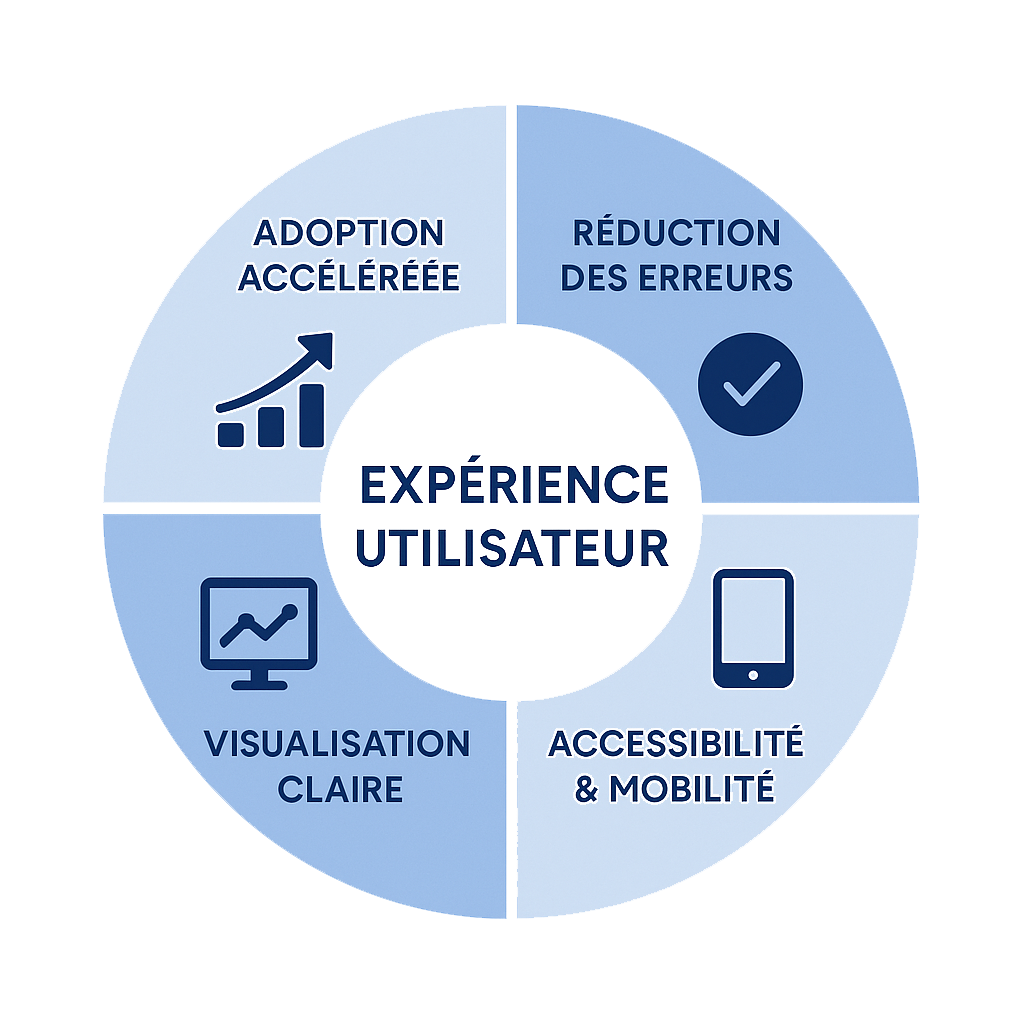
The importance of user experience in ERP adoption
Measurable impacts of UX on adoption
A well-designed user experience has direct, quantifiable effects on ERP adoption:
- Reduced training time: An intuitive interface enables new employees to become operational more quickly
- Lower resistance to change: Users are more inclined to adopt a tool that makes their daily work easier
- Increased productivity: Clients that have migrated to ERPs with redesigned ergonomics unanimously confirm productivity and efficiency gains
- Better use of data: Easier access to relevant information enables more informed decision-making
Real-world cases of improvement through UX
At TVH Consulting, we have supported several companies in improving the user experience of their ERP:
- An industrial company saw a 35% increase in the use of its ERP after redesigning the user interface to suit different business roles
- A distributor reduced order processing time by 40% thanks to redesigned ergonomics and simplified workflows
- A service-sector organization saw its data entry error rate decrease by 25% after implementing a more intuitive interface
Ergonomic criteria to include in the requirements specification
Essential criteria to include
To ensure an optimal user experience, your ERP requirements specification must include certain ergonomic criteria. These elements complement the essential criteria for choosing an ERP and provide a competitive advantage when selecting your solution :
- Interface personalization: Ability to adapt screens according to user roles and preferences
- Intuitive navigation: Logical menu structure and quick access to frequently used features
- Data visualization: Customizable dashboards with relevant indicators
- Intelligent search: High-performance search engine that allows users to quickly find information
- Accessibility: Compliance with accessibility standards for all users
- Responsive design: Automatic adaptation to different devices and screen sizes
- Visual consistency: Consistency of interface elements to make the system easier to learn
- Feedback: Clear alerts and notifications regarding actions performed
How these criteria influence the final choice
Integrating these ergonomic criteria into your requirements specification will allow you to objectively compare market solutions on aspects that are often overlooked. To support you in this process, you can consult our examples and templates for ERP requirements specifications, which already incorporate these user experience aspects. This approach helps you anticipate the real needs of end users while significantly reducing the risks of failure associated with low adoption. By taking ergonomics into account from the selection phase, you maximize the return on investment of your ERP project. The latest trends confirm this: companies that place particular emphasis on UX from the earliest stages of the project see a significantly higher user satisfaction rate after deployment, thereby ensuring better value from their technology investment.
How to evaluate UX during demonstrations and POCs
Evaluation methodologies
To effectively evaluate the user experience, implementing a proof of concept (POC) is often the most relevant method. It allows you to concretely test the solution’s ergonomics in your specific context.
- Involve end users: Create a representative panel of the different profiles that will use the ERP
- Define real-life usage scenarios: Test concrete cases corresponding to the company’s business processes
- Measure objective indicators:
- Time required to complete a specific task
- Number of clicks required to access a feature
- Ease of finding information
- Collect qualitative feedback: Impressions, difficulties encountered, and suggestions for improvement
- Test personalization: Verify how easily the interface can be adapted to specific needs
Feedback from successful projects
Our experience at TVH Consulting has enabled us to identify best practices for UX evaluation:
- Organizing user workshops during the selection phase enabled a client in the food processing sector to identify potential barriers to adoption even before deployment
- Using standardized evaluation grids helped a service company objectively compare three ERP solutions based on ergonomic criteria
- Implementing a POC focused on critical processes enabled a distributor to validate that the proposed interface met the specific needs of its field teams
Interface personalization and adaptation to user profiles
The importance of personalization
Interface personalization has become a key success factor in modern ERP projects. By presenting only the information relevant to each role, it significantly reduces users’ cognitive load while making the tool easier to adopt by adapting it to existing work habits. This flexibility also allows the interface to naturally evolve with the changing needs of users and the organization. As the SAP FIORI user experience highlights, offering “ simplified ergonomics and increased productivity with more notifications and alerts ” helps users “ quickly carry out the necessary actions ” in their specific business context. This user-centered approach transforms the ERP from a simple management tool into a true performance accelerator adapted to the specific requirements of each function within the company.
Examples of successful personalization
Our implementation projects have demonstrated the effectiveness of different personalization approaches:
- Dashboards by function: An industrial client deployed specific home screens for each department (production, logistics, finance), increasing daily system usage by 40%
- Form simplification: A service company reduced the number of fields to be completed by its field operators by 60%, significantly reducing data entry time
- Adaptation to business processes: A distributor personalized workflows to exactly reflect its specific processes, making adoption easier for sales teams
- Individual personalization: Allowing users to configure their own interface increased satisfaction and engagement in several of our projects
Mobility and accessibility: the new imperatives
Statistics on the importance of mobility
Mobility has become essential in today’s professional environment. These new requirements have a direct impact on the cost and budget of your ERP project, which should be anticipated from the requirements specification phase.
- The global cloud ERP market reached €72.2 billion in 2024 and is expected to grow at an average annual rate of 12.6% through 2031
- More than 53% of deployed ERP solutions are now hosted in the cloud
- Mobile ERP applications provide real-time access to company data, strengthening the productivity of remote teams
- In 2025, mobile access to ERPs is considered an essential criterion for supporting new forms of hybrid work
Solutions to maximize accessibility
To address these new challenges, several approaches can be implemented:
- Native mobile applications: Developed specifically for iOS and Android, they provide an optimal experience on smartphones and tablets
- Responsive web interfaces: Automatically adapting to all screen formats, they ensure smooth use on all devices
- Offline mode: Allowing users to work without an internet connection and synchronize data later
- Simplified authentication: Use of biometric methods or SSO (Single Sign-On) to make access easier while maintaining security
- Voice interfaces: Integration of voice commands for certain features, particularly useful in mobile work situations
These solutions not only help improve accessibility, but also increase team productivity, regardless of where they work.
Summary of the benefits of good UX
Investing in a high-quality user experience for your ERP generates multiple, long-lasting benefits. To structure your project and effectively integrate these UX aspects, we recommend consulting our complete guide on drafting an effective ERP requirements specification.
- Accelerated adoption: Users adopt an intuitive system that fits their needs more quickly
- Improved productivity: Simplifying interfaces reduces the time needed to complete daily tasks
- Reduced errors: Well-designed ergonomics limit the risk of data entry errors and improve data quality
- Increased satisfaction: Employees appreciate working with tools that make their daily work easier
- Optimized ROI: Effective use of the system maximizes the return on the investment made
- Greater agility: An adaptable interface evolves with the company’s needs and facilitates change