PAM SAP BusinessObjects Lumira 2.0
Like any SAP BusinessObjects application, Lumira 2.0 is no exception.
Lumira 2.0 has its own PAM (Product Availability Matrix or Technical Prerequisites). Here’s a quick overview of the most important technical prerequisites for a future deployment.
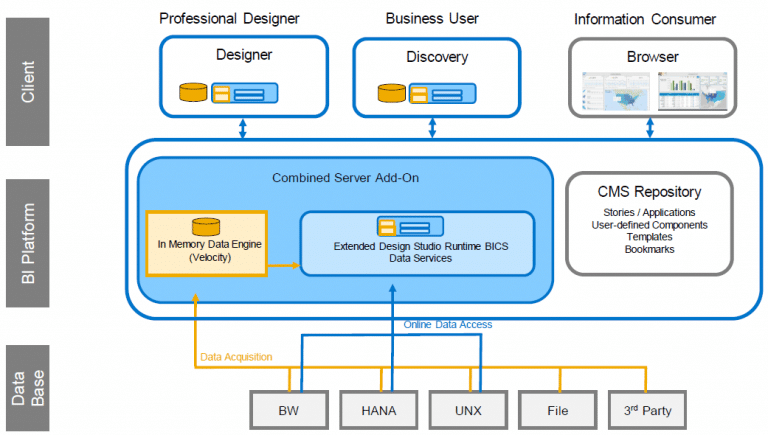
Technical Architecture
Operating System
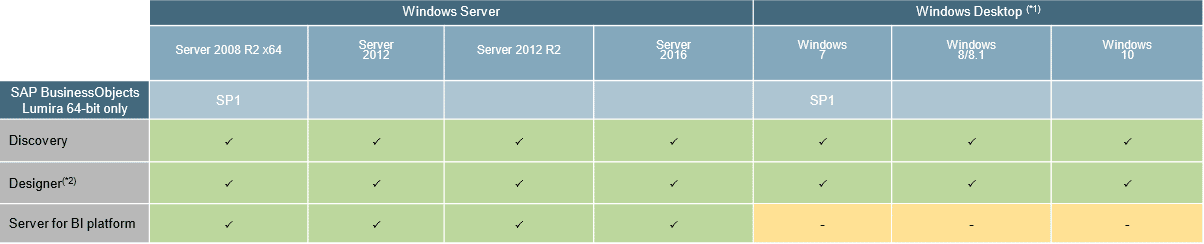
The BI4 server addon and the two applications are compatible with the latest versions of Windows OS such as “Server 2016” and “Windows 10”. However, it should be noted that for “Windows Surface” type devices, the applications will not be certified, but it can be imagined that it will work (to be tested soon…)
Additionally, SAP Lumira Designer can only be installed on Windows OS with Internet Explorer 11 (IE 11) or higher.
BI Platform Addon
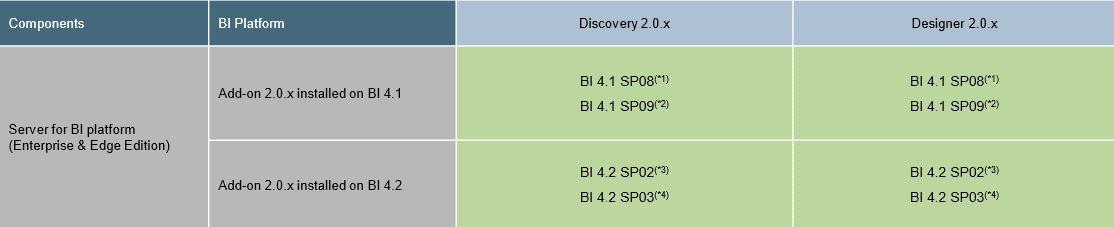
Regarding your SAP BusinessObjects version, the latest versions (4.2 SP2 and SP3) are of course supported, whereas for older versions, only 4.1 SP08 and 4.1 SP09 will be compatible with SAP Lumira 2.0.

It should be noted that SAP recommends having the latest patches available for each version before installing SAP Lumira 2.0. As a reminder, the latest patches available for the versions mentioned are (at the time of writing this post):
- 4.1 SP08: Patch 09
- 4.1 SP09: Patch 04
- 4.2 SP02: Patch 11
- 4.2 SP03: Patch 06
For those who already have a version of SAP Lumira and SAP Design Studio, there is an update medium available to upgrade your SAP Lumira and SAP Design Studio addons.
Internet Browser
Regarding internet browsers, here is some information on the compatibility matrix. Note that interactions with the touch feature are not supported. (Example: Windows Surface tablet).

In general, the new SAP Lumira 2.0 version is fully compatible with the most common OS. However, those with a version lower than 4.1 SP8 should consider updating their SAP BusinessObjects environment before being able to take advantage of the new features of SAP Lumira 2.0.
Performance
We also bring to your attention that Lumira Discovery or Designer continues to use your computer’s RAM. The more powerful your computer is, the more efficient the Desktop application will be. Obviously, if you choose to export your LUMX document to the BI4 server, then it is indeed the server that will be utilized!

SQL à la carte
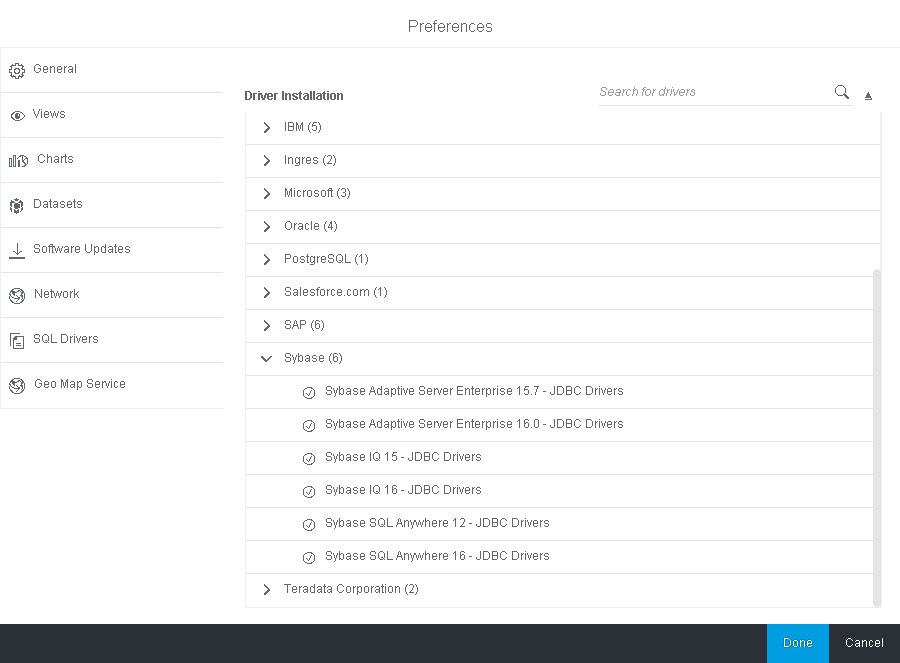
As for SQL à la carte, Lumira Discovery still allows for direct connections to a variety of data sources with some database drivers already integrated, such as SalesForce, Sybase (SAP), HortonWorks, etc.